For coaches and small business owners whose website forms land in an inbox and wait.
The problem
Someone finds your website. They like what they see, so they fill in the form. Then it sits in an inbox. You're busy, it gets buried, and they hear nothing for days.
By then they've found someone else.
It happens a lot. One study of over 2,000 companies found that 23% never replied to an online enquiry at all. (Harvard Business Review, 2011.) Another found small businesses take about 47 hours to reply to a new lead. (One study, Prospeo 2026, via SalesCaptain.)
The trap is the watching trap: you can see that people visit, but nobody is catching them.
The guide
I've been building marketing systems for over 3 years. This is the one I built for my own website.
What was built
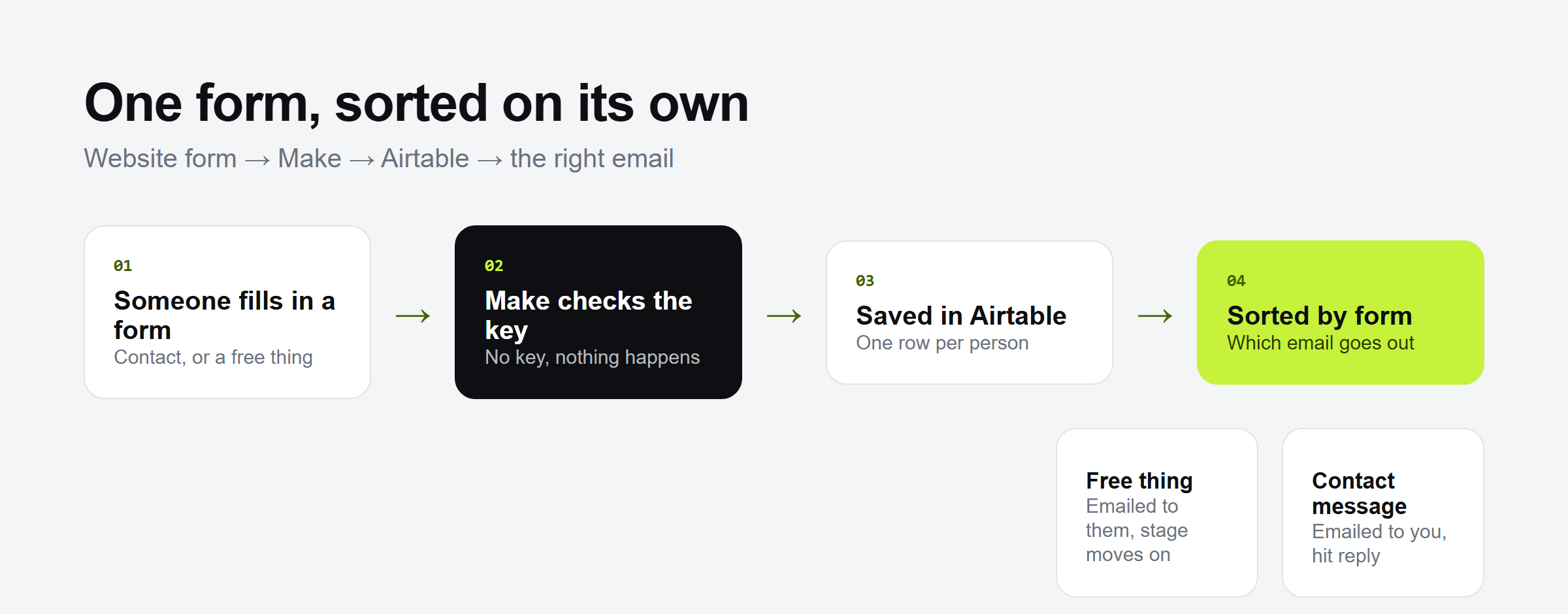
One form, one list, and one reply that goes out by itself. Want to build it yourself? Here are the steps.
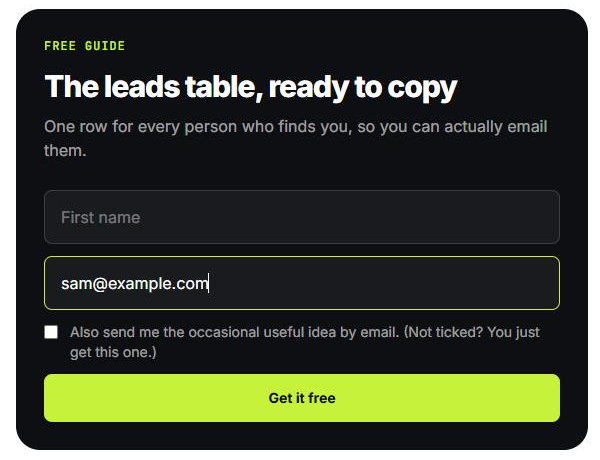
- A form on the website. Someone asks for a free thing or sends a message. The website checks it's real (a hidden trap catches bots) and passes it on. It keeps nothing itself.
- Make picks it up. Make is the tool that joins the other tools together.
- It lands in one list in Airtable. Make looks the person up by their email. A new person gets a new row, marked "Website", "New" and today's date. Someone who's been before gets their old row updated. One person, one row.
- The right email goes out.
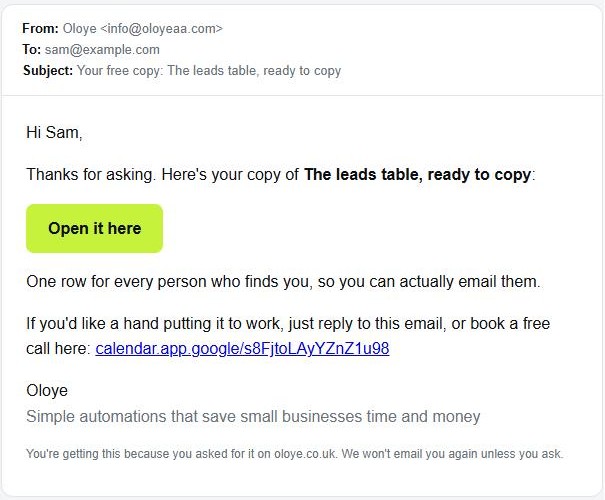
- Asked for a free thing? They get an email with the link straight away, and their row moves to "Free thing sent".
- Sent a message? It comes to me, and hitting reply goes straight back to them.
Built on 27 Oct 2026. Claude built it from plain-English asks. No code written by hand.
The result
- It works end to end. It passed 7 test runs on 27 and 28 Oct. The emails arrived and the rows were made.
- Real visitors: none yet. It's live and waiting for the first one.
- Time saved: being measured.
The difference is simple. Nobody waits in an inbox any more. Every form gets an answer, and every person is in one list you own.
Your next step
Want to find the first job worth handing over in your own business? Get the free checklist: 10 jobs to automate first.