A link in bio page that turns followers into emails: one question, one free thing, and every sign-up saved in one list. With our own page as the example.
Most bio links send people to a page of buttons, and nobody is caught.
A better link in bio page asks one question and offers one free thing.
The free thing asks for an email, so the person lands in your own list.
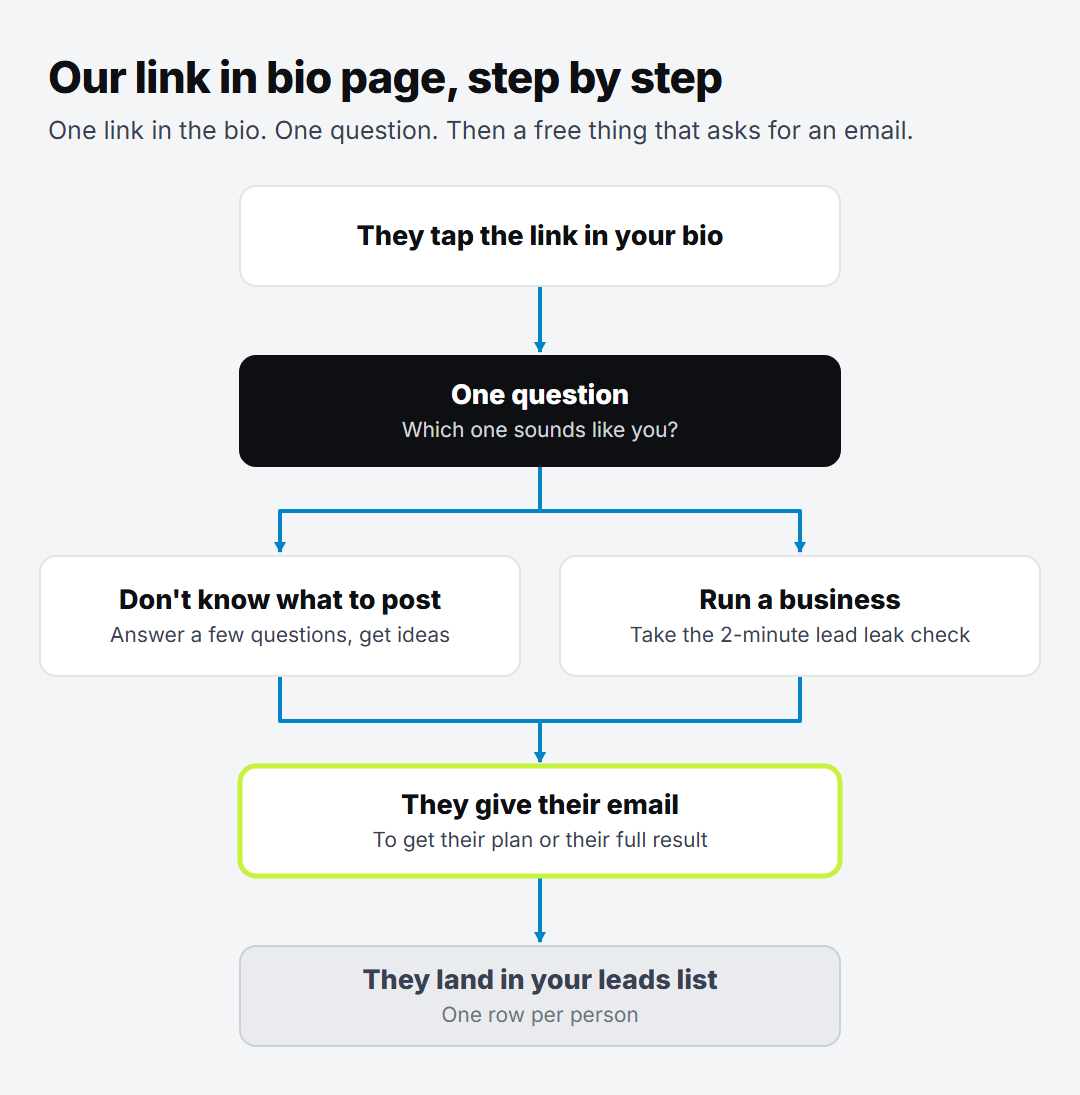
Our own bio page, step by step, as a worked example.
Someone watches your video, likes it, taps your profile. They tap the link in your bio. Then they leave.
They never told you who they were. Next time you post, the app decides whether they see it.
A good link in bio page changes that. It turns a tap into an email address, so the person lands in a list you own.
In plain words: your "link in bio" is the one web link in your social media profile. The link in bio page is wherever that link takes people.
Why most bio links lose people
The usual bio page is a stack of buttons. Your website, your latest video, your shop, your podcast, a free guide, another platform.
It looks busy and useful. But every button is a choice, and the person came from a short video. It's easy to tap one thing, look, and go back to scrolling.
Just one job: catch the person, so you can reach them again.
That means three parts:
One question, so each person goes the right way.
One free thing for each road, something useful they'd want.
An email box, because that's how they get the free thing.
Everything else can wait. Your shop and your other platforms are still there for anyone who looks.
Our link in bio page, step by step
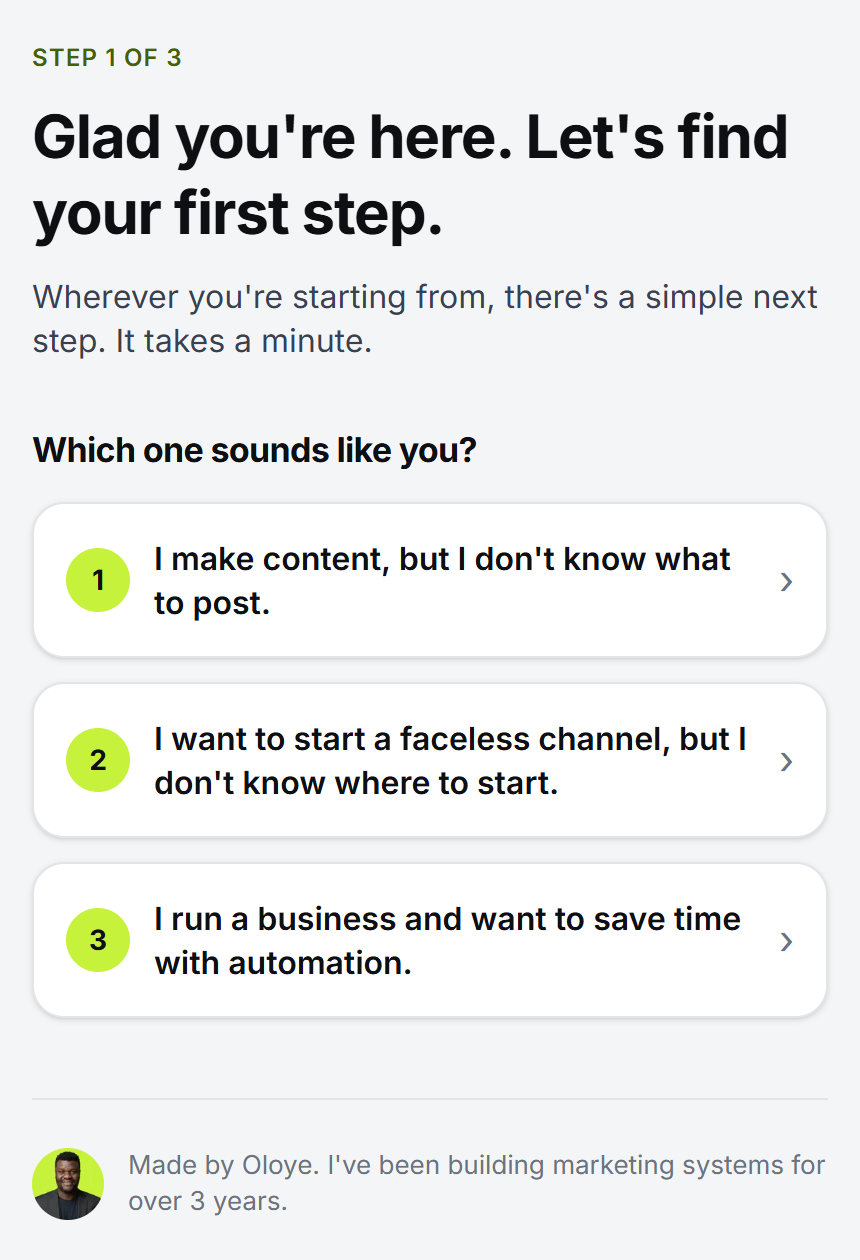
Our TikTok bio links to oloye.co.uk/start. Here's what someone sees when they tap it.
Step 1: One question
The page opens with one question: "Which one sounds like you?" There are three answers. Two are for people who make content. One is for people who run a business and want to save time.
That's it. No row of buttons. The person picks the line that sounds like them.
Step 2: One road for each answer
Each answer leads to a short page that says what happens next, with one button. People who make content get a few quick questions and their own ideas. Business owners get a 2-minute check of where they're losing leads, or a free call.
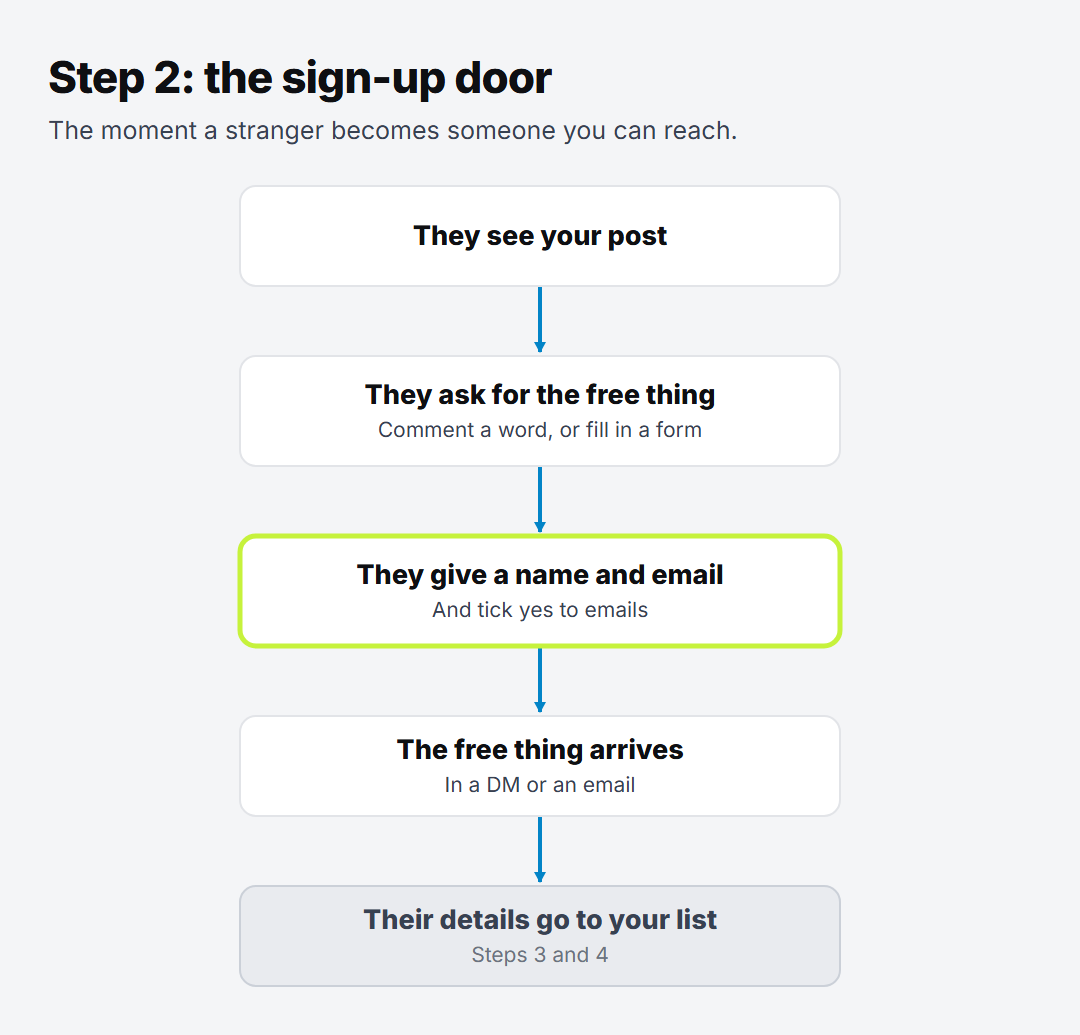
Step 3: The email box
Both free things end with an email box. The content road emails their ideas and a plan. The business road emails the full result. Either way, the person gives their email because it gets them something they want.
Step 4: One list
Every sign-up goes into the same leads list in Airtable, one row per person. The forms on our site send the details through Make, so nobody copies anything. We showed how in website forms to Airtable with Make.
Only people who tick yes to emails get added to our email list in MailerLite. Everyone else gets what they asked for and nothing more.
Good to know: in the UK, the ICO's guidance on direct marketing covers when you can email people. Ask clearly, and keep a record of who said yes.
How to make your own bio page tonight
You don't need what we built to start. Here's the simple version.
Pick one free thing. Something small that solves one problem your followers have. A checklist, a template or a short guide is enough. Stuck for ideas? Here are lead magnet ideas for coaches.
Make one email sign up page. A name box, an email box, a yes-to-emails tick, and one button. Most email tools, MailerLite included, let you make one for free.
Say what they get. One line above the form. Not "join my newsletter", but what the free thing does for them.
Put that page in your bio. Just the one link.
Keep every sign-up in one list. A spreadsheet works. Or set up a simple CRM, so you can see who to follow up with.
When you have more than one kind of follower, add the question at the top, like ours. Until then, one free thing is plenty.
Try this: open your own bio link on your phone, as if you'd never seen it. Count the buttons. Then ask: where on this page does a stranger give me their email?
What it changes
When someone gives you their email on your link in bio page, they're on a list you own. You can reach them again without waiting for the app to show them your next post.
Want to see where else people slip away? Take the free Lead leak check. It's 6 quick questions, and you get a score out of 100, your 3 biggest leaks, and the first fix for each.
Oloye builds AI systems for content creators and business owners, and has been building marketing systems for over 3 years. Creators get a content machine. Business owners, coaches included, get workflows that stop them losing leads. He lives in Kent with his family, and the point is the same for him as for you: more time for the work and the people that matter.
It's the page people land on when they tap the one link in your social media profile. It decides what they do next.
Do I need a website for a link in bio page?+
No, but it helps. Ours is a page on our own website, so the sign-ups go straight into our own leads list.
What should a link in bio page ask for?+
An email address, in return for something useful and free. Keep it to one ask per road, so people aren't left choosing.
Can I add everyone who signs up to my email list?+
Only people who said yes to your emails. In the UK, the ICO's guidance on direct marketing explains the rules. Everyone else just gets what they asked for.